Get Good is a learning app for anyone who wants to learn fast.

A few minutes a day is enough to learn something new and keep it.

Learn More

About

AI is improving fast, and the skills people need are changing with it.

  • AI can explain almost anything, but reading an answer does not mean you will remember it.
  • Get Good turns what you want to learn into a path of short notes, each with cards that quiz you on it.
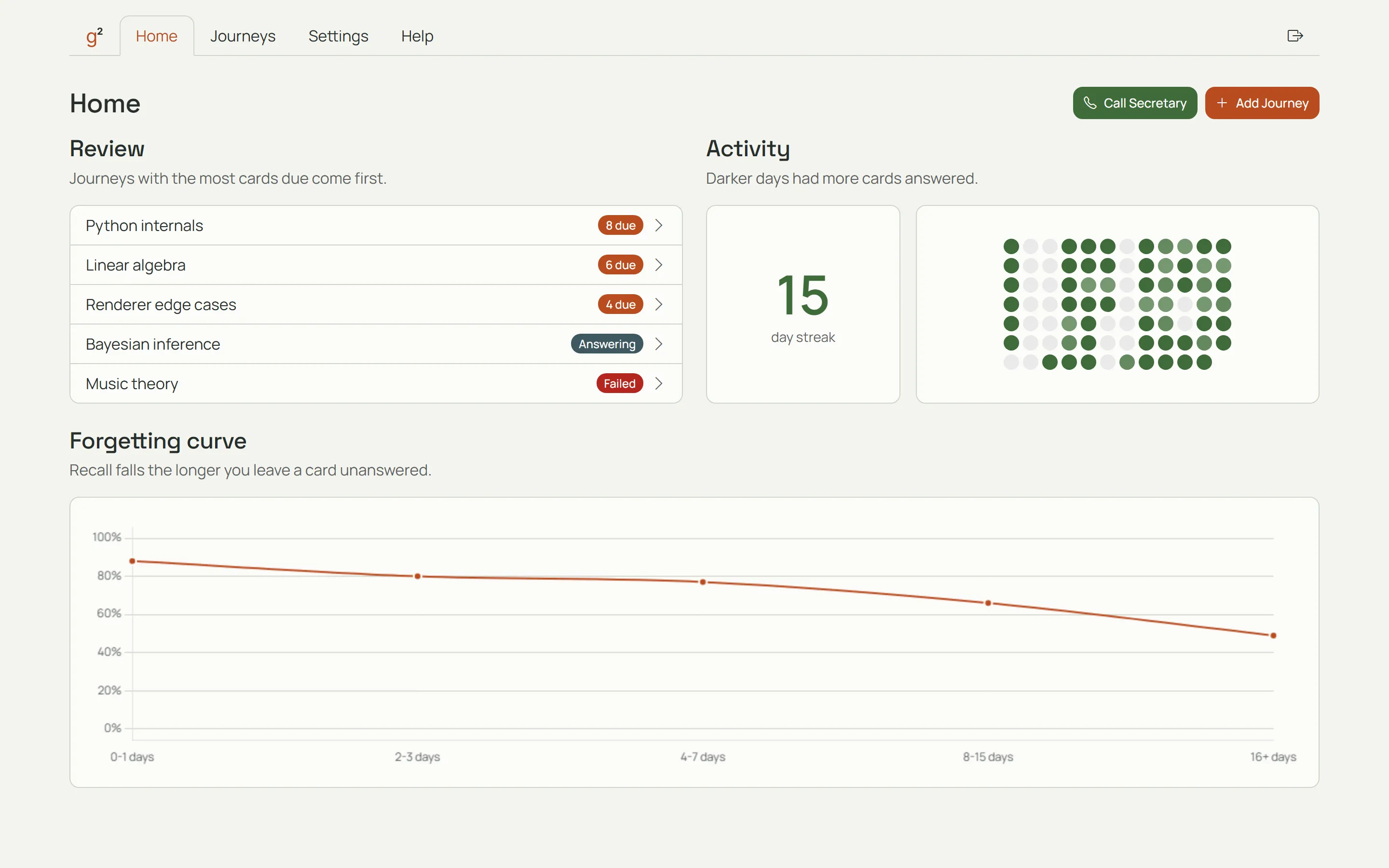
  • Get Good uses spaced repetition. It brings each card back just before you would forget it, so what you learn stays with you.
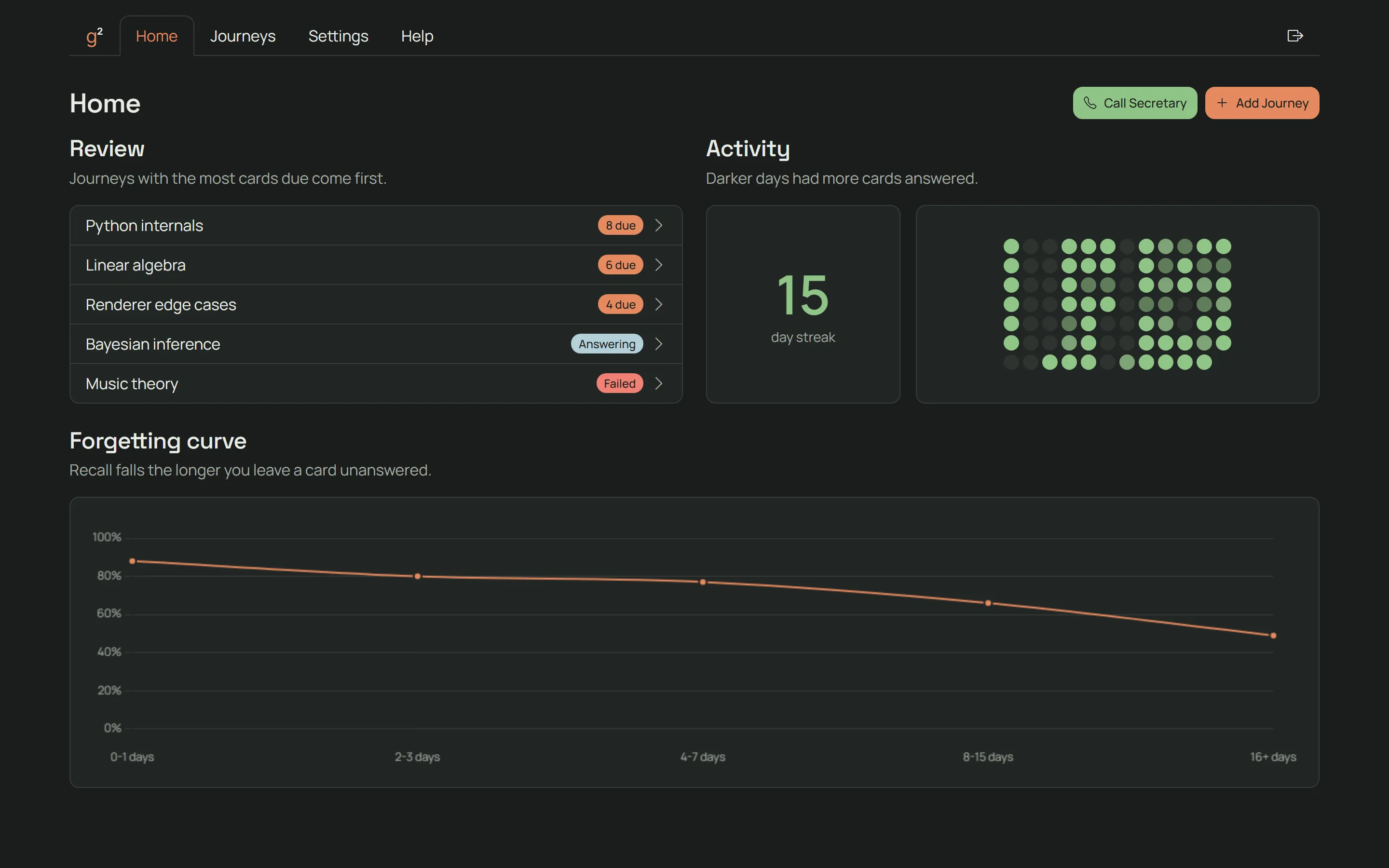
The Get Good home page with a list of journeys. The Get Good home page with a list of journeys.

How it works

01

Start a journey.

Click Add Journey and name what you want to learn. Choose AI or Manual under How to build.

02

Build with AI.

Answer a few questions about what you already know, then press Build. You can also build journeys through our MCP.

03

Build it yourself.

Choose Manual to write the notes and cards yourself. Add your notes, add cards to each note, then choose which notes must come first.

04

Review your cards.

Open a journey, then a note with cards due. Click Review and mark each card as known or missed. Get Good picks when you see each card next.

05

Take the daily call.

Click Call Secretary for a short voice call on your due cards.

06

Your credits or your own key.

Each AI step and each minute of a call uses credits. In Settings, you can see your credits, upgrade, buy a top-up, or provide your own key.

Features

Journeys

Pick a topic and get a path of notes built for you, or build one yourself.

  • AI asks you a few questions to learn what you already know, then drafts a path of notes for you to approve.
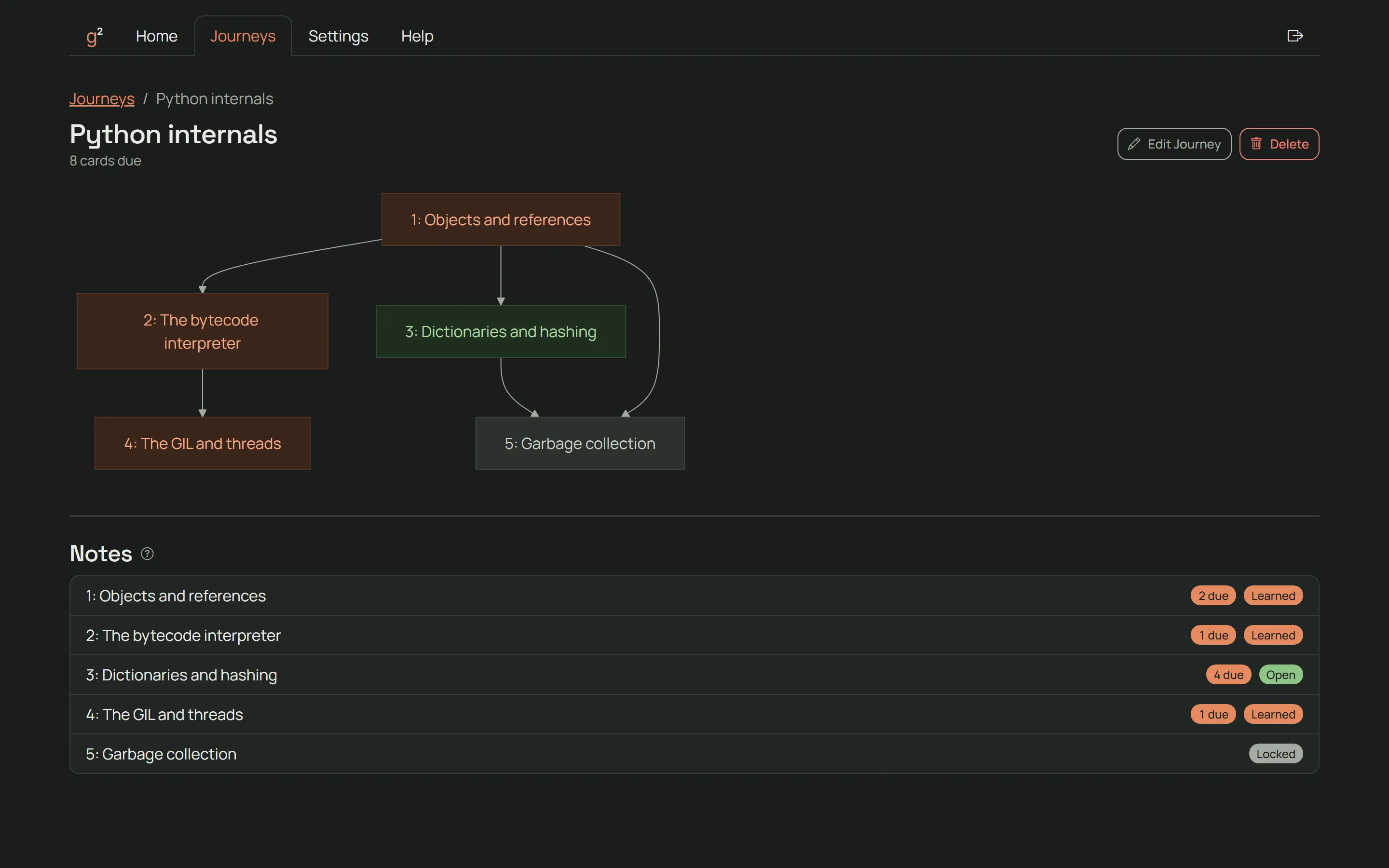
  • A note opens once you have learned the notes it builds on, a method called mastery learning.
  • Each note is short, so new ideas arrive in small steps and your cognitive load stays low.
  • Each note lists the original sources it was written from, including files you attach.
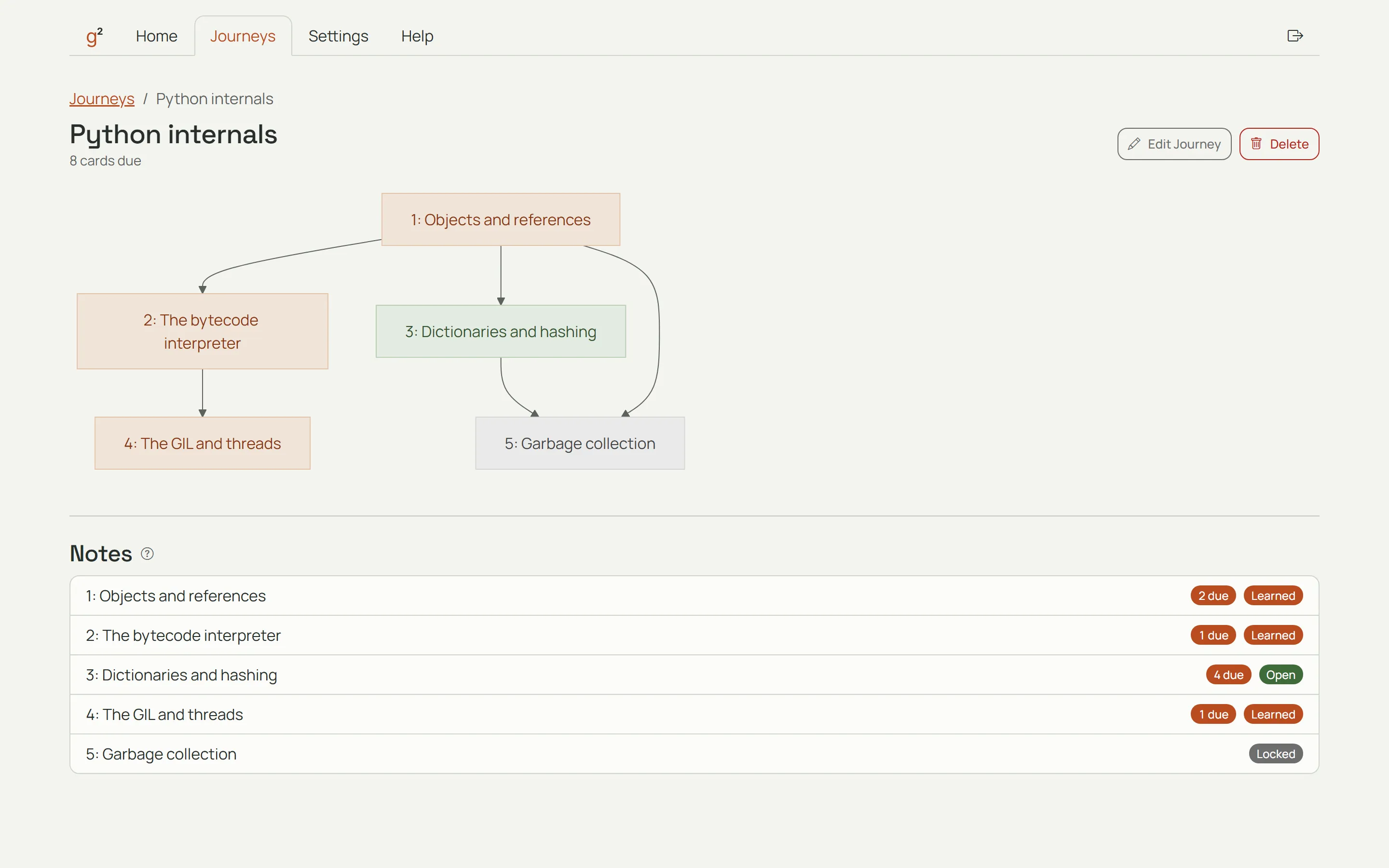
A journey with its path of notes in Get Good. A journey with its path of notes in Get Good.

Reviews

Each card comes back just before you would forget it.

New Learning Familiar Confident Mastered
  • Each card comes back on a schedule that depends on how well you remember it. Spreading reviews out this way uses the spacing effect.
  • You answer each card from memory before you see the answer, which is called retrieval practice.
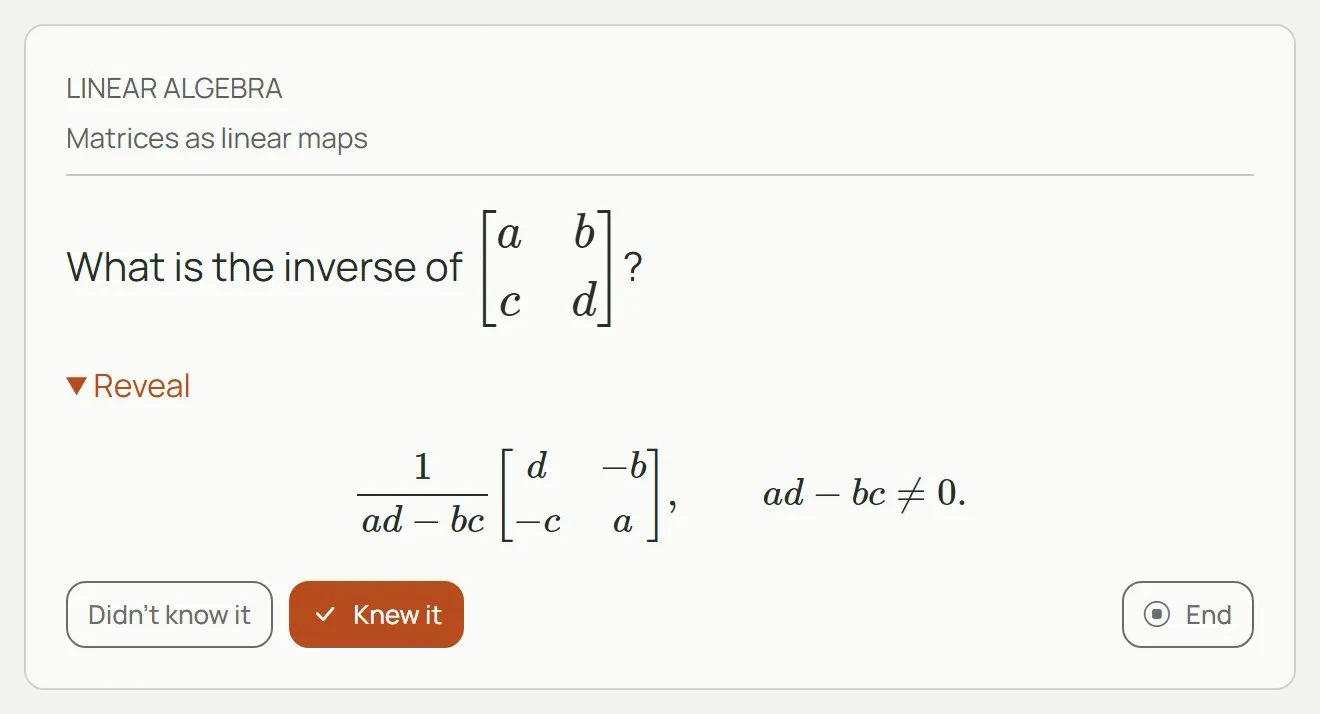
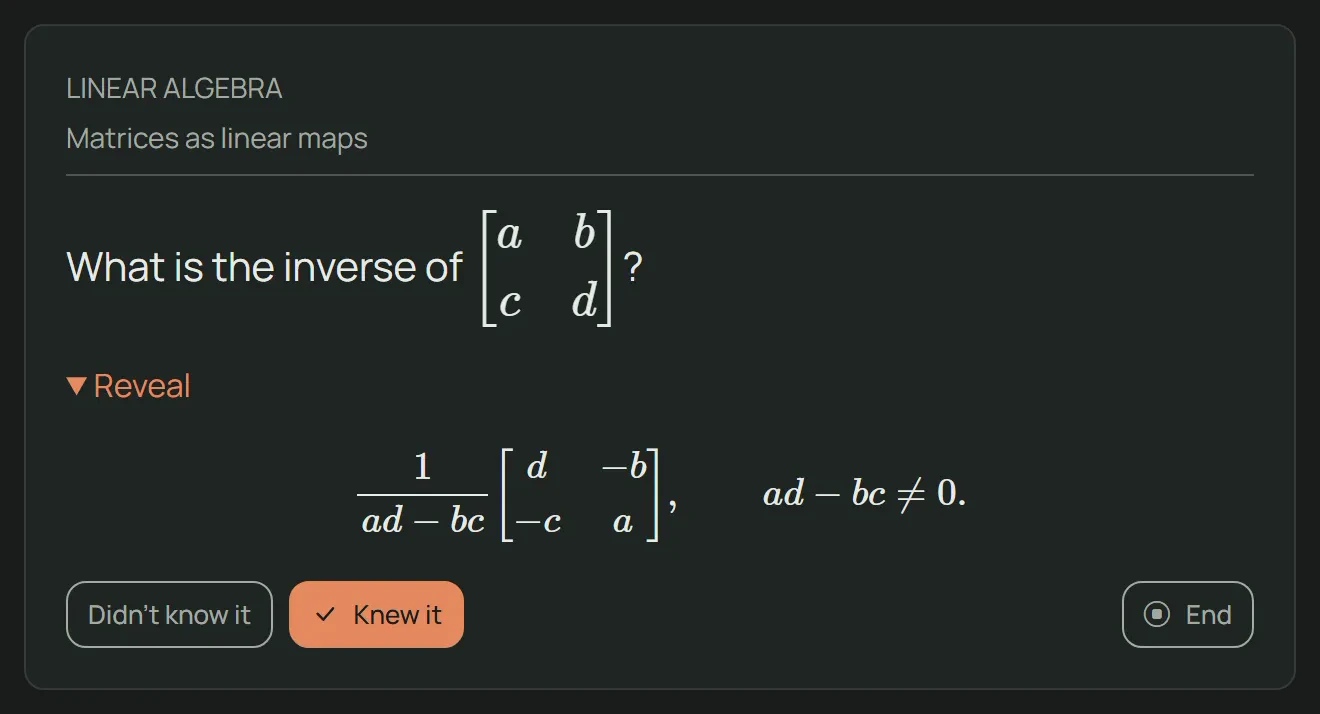
  • Every card shows a stage: New, Learning, Familiar, Confident, or Mastered. The stage tells you how long you are likely to remember it.
  • The forgetting curve shows how well you remember a card as time passes.
A card being reviewed, with its stage shown. A card being reviewed, with its stage shown.

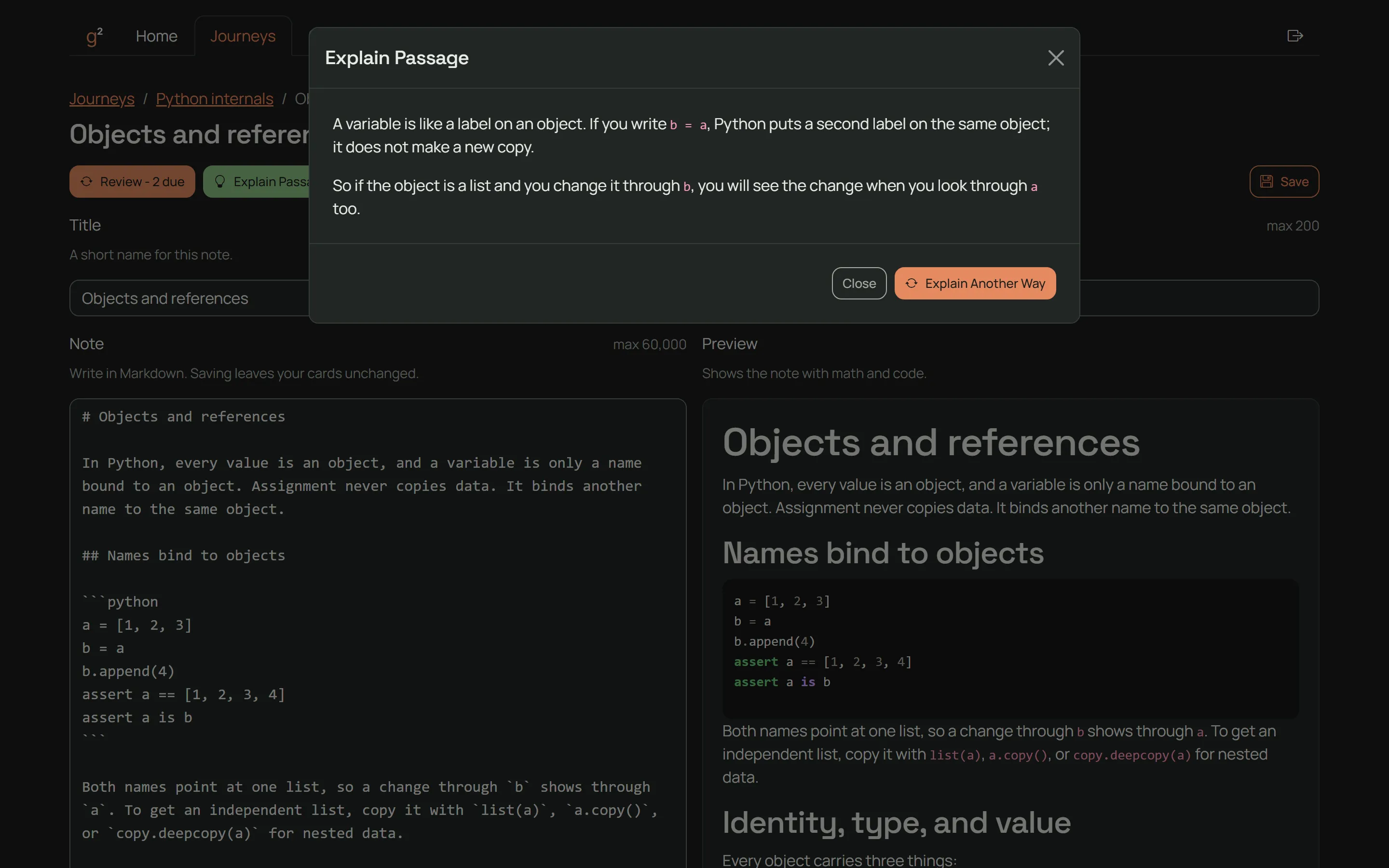
Explain Passage

Ask about any passage and get a plain answer.

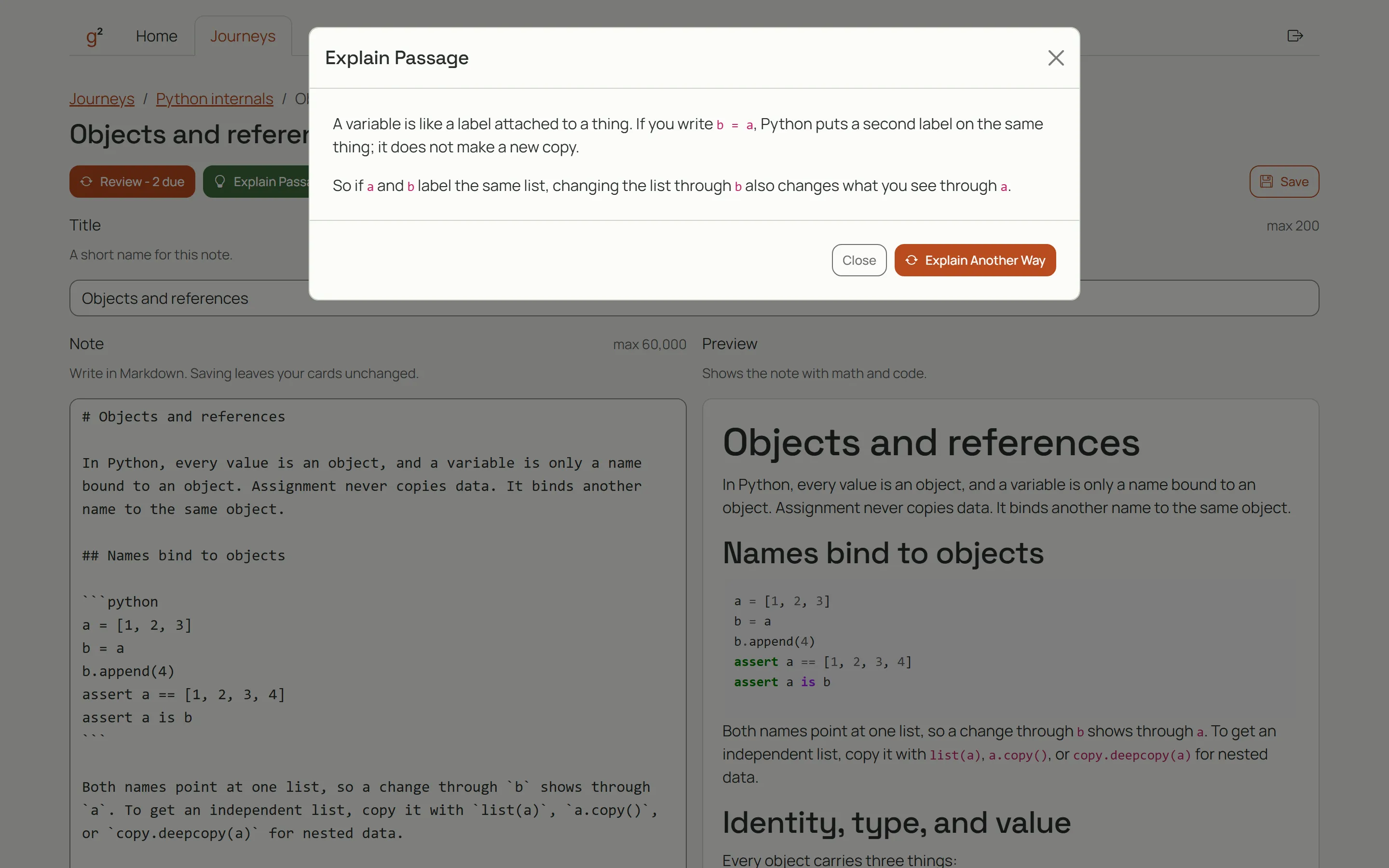
  • Select a passage in any note and say what confuses you.
  • Explain Passage explains it in plain words.
  • It reads only the note you are on and saves nothing.
  • It may use general knowledge to define a term or give background.
Explain Passage answering a question about a passage from a note. Explain Passage answering a question about a passage from a note.

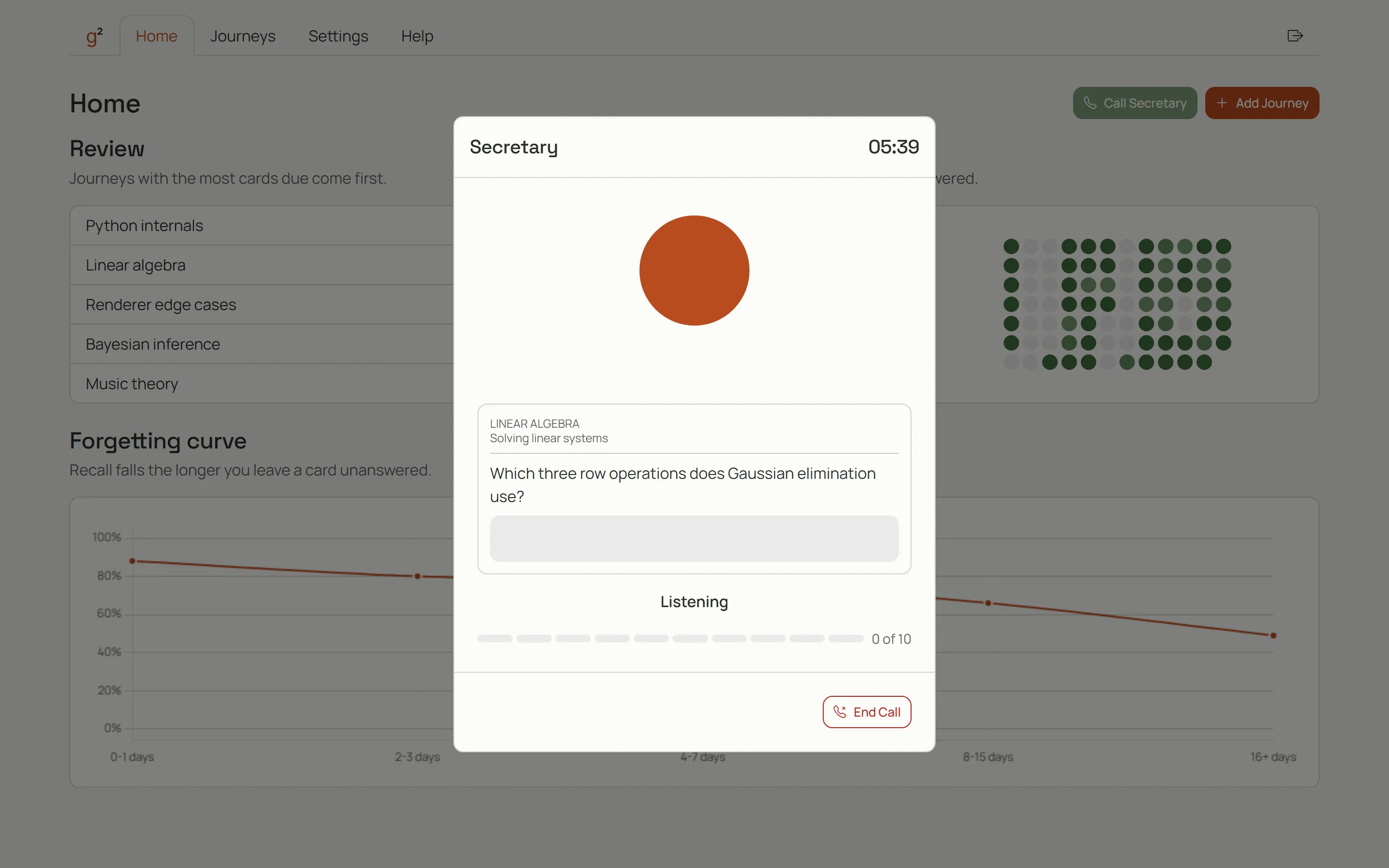
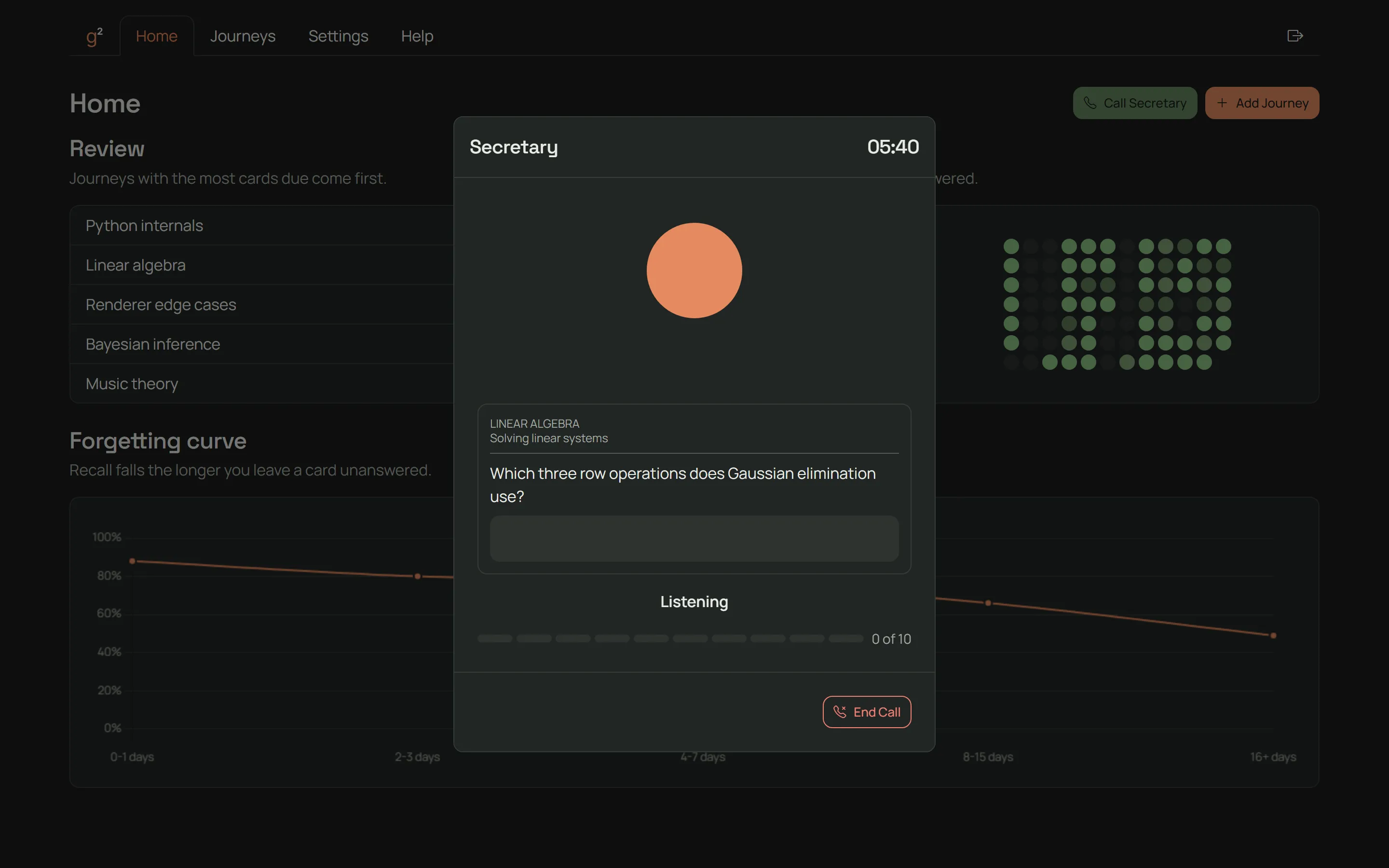
Call Secretary

Answer your due cards out loud in a short daily call.

  • Call Secretary is a short voice call, once a day.
  • Secretary quizzes you out loud on the cards that are due, so each call is retrieval practice too.
  • Secretary grades each answer known or missed, and it counts like a review.
The Call Secretary screen during a voice call. The Call Secretary screen during a voice call.

MCP

Let your own AI tools build journeys in Get Good.

MCP is a standard that lets AI tools such as Claude Code and Codex work inside other apps.

Get Good runs an MCP server at https://get-good.app/mcp. Your AI tool writes the notes and cards, and Get Good saves them as a manual journey.

MCP is part of the paid plans. Open Settings to create a key and see how to set up Claude Code and Codex.

Pricing

Start for free and pay only when you want more.

After you sign in, use Settings to upgrade or buy a top-up.

Free

$0

  • 250 credits on the 1st of each month
  • Unused credits do not roll over
  • Unlimited reviews and manual journeys

Monthly

$15 a month

  • 1,500 credits each month
  • About 70 notes each month
  • About 112 minutes of calls each month
  • Unused credits roll over for one month
  • Unlimited reviews and manual journeys

Yearly Save 20%

$144 a year

$12 a month, billed yearly

  • 1,500 credits each month
  • About 70 notes each month
  • About 112 minutes of calls each month
  • Unused credits roll over for one month
  • Unlimited reviews and manual journeys

Top-Ups

Add credits whenever you need them, with or without a plan. Each top-up is a one-time payment.

$10 Top-Up

  • 1,000 credits
  • Lasts 12 months
  • Enough for about 46 notes

$20 Top-Up

  • 2,000 credits
  • Lasts 12 months
  • Enough for about 93 notes

FAQ

Many AI tutors explain a topic well while you read. Get Good also helps you keep what you learned. Spaced repetition brings each card back just before you would forget it, and Call Secretary quizzes you out loud once a day. Get Good runs in your browser, so there is nothing to install. Start on free credits, or provide your own key.

Each card shows a stage that tells you how long you are likely to remember it: New, Learning, Familiar, Confident, or Mastered. When you miss a card, or are still learning it, it shows as New.

A note opens once you have learned the notes it builds on. You have learned a note when you know all of its cards.

You can answer up to 50 cards a day across all of your journeys. The rest will wait for you tomorrow.

After you edit a card, you need to know it again before its note counts as learned. The forgetting curve only counts the answers you give after the edit.

The forgetting curve shows how often you remember a card, compared with how long it has been since you last saw it. It appears once one time gap has 5 answers.

First, AI asks you a few questions to learn what you already know. Then it drafts a path of notes for you to review. After you approve the path, AI writes each note and its cards.

You choose that with the Notes per journey setting in Settings, from 1 to 10. It starts at 5. AI plans at most that many notes, and you can drop any note before you build. The Notes built at once setting decides how many notes AI writes at the same time.

You can call Secretary once a day. Your next call opens at midnight in your own time zone, and the Call Secretary button on Home is your reminder. You can choose how long a call lasts in Settings, from 5 to 10 minutes.

When you attach files to a journey, AI uses them as sources when it writes your notes.

No. Explain Passage reads only the note you are on, and it saves nothing. It may use general knowledge to define a term or give background, and it keeps to your note for anything the note says.

Yes. After a call ends, click Download Log to save a file of what was said and any errors. Get Good builds the file in your browser and does not upload it. The file is gone when you close the call window, so download it first. You can share this file with our support team if you run into any errors with Call Secretary.

You don't need one. Managed runs on our key and draws on your credits. You can also provide your own API key for Anthropic, OpenAI, or Gemini in Settings.

Yes. When you provide your own API key, every feature is free and has no limits. You pay your provider for what you use.

Our voice partner, Google Gemini, does not allow apps that people under 18 are likely to use, so we have to follow that rule too. The rule covers every account, including accounts that use their own API key. We ask for your birth month and year once. If you are under 18, we keep your account so it can open if we add a plan for teens.

Credits pay for AI in Get Good. Each AI step and each minute of a call uses credits. You can see how many credits you have left in Settings. The credits that expire soonest are spent first, so free credits go before a top-up.

Reviews and manual journeys are always free and unlimited. On the 1st of each month, UTC, every free account gets enough credits for about 11 notes. Free credits do not roll over, so anything left on the last day of the month expires.

Free credits for everyone come from one shared monthly budget. When many people learn with Get Good in a month, that budget can run out before the month ends, and free credits pause for everyone until the 1st. Any free credits you have left this month end when the pause starts. New free credits arrive on the 1st. Your top-ups and your plan keep working, and so do your reviews.

Not in the same month. Free credits belong to your Google account, and each Google account gets them once a month. When you delete an account that already got free credits this month and sign in again, your new account starts with no free credits. Your free credits return on the 1st of next month, UTC.

We can only give free credits to a limited number of new accounts each day. When today's are all taken, your account gets its free credits the first time you sign in after midnight UTC. Until then, you can make manual journeys, upgrade, or provide your own key.

Each month's credits last 2 months from the day they arrive. Anything you don't use rolls over into the next month, then expires. You can hold at most 3,000 plan credits at once.

All AI functionality stops at zero, so a journey cannot keep building and a call cannot start without enough credits for its full length. Get Good never charges you for extra use. To keep going, you can upgrade, buy a top-up, or provide your own key in Settings. Your reviews keep working.

Paddle.com is our reseller and merchant of record for the plan and top-ups. Paddle takes your payment and charges any sales tax. Paddle also sends your receipt. Get Good never sees your card details. Please read our Terms for more details.

You can ask for a refund within 14 days of your first plan payment. We don't refund credits you have already used. Renewals and top-ups are not refunded, except where the law requires it. Please read our Refunds policy for more details.

Yes. In Settings, use Upgrade or Downgrade on the plan you want. Paddle bills the change at once, prorated for the time left in your current period. Your monthly credits keep arriving on the same day each month.

To cancel, click Manage Plan in Settings, then cancel in Paddle. Your plan runs to the end of the period you paid for, and then your account moves to Free. Credits you already have stay until they expire. Click Delete Account to cancel your plan at once and delete your account.

MCP is a standard that lets AI tools such as Claude Code and Codex work inside other apps. With a key from Settings, your AI tool can build journeys in Get Good. MCP is part of the paid plans, Monthly and Yearly.

No. MCP runs no Get Good AI. Your own AI tool does the writing, and you pay that tool for it. MCP calls count only against a limit of 500 calls a day and 30 calls a minute.

Get Good keeps your key. It refuses the key's calls until you subscribe again, and then the same key works again.

Your plan stays active while Paddle tries the payment again. No new month of credits arrives until a payment goes through. Use Manage Plan in Settings to update your card. If every try fails, Paddle cancels your plan.

Contact

Questions or feedback? Email us at support@get-good.app.

Let's get good.

Free forever. No credit card needed.